
Finishes personalization for new buildings
Your buyers choose their finishes online. You get the contracts and the order list.
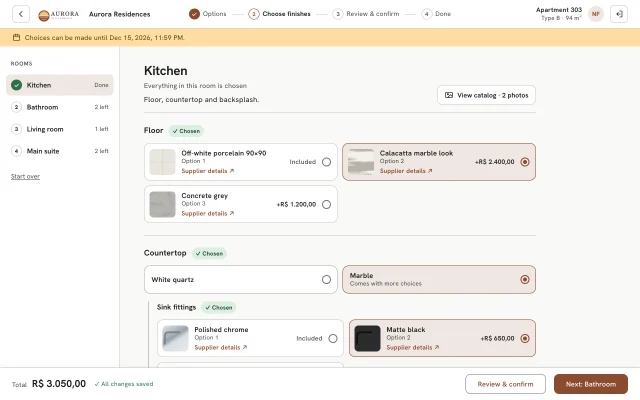
Every building gets its own branded website where buyers pick finishes room by room, with prices.
20-minute call · in English or Portuguese · no commitment
- Data stored in Brazil
- English & Portuguese
- Works on any phone
- Light or dark theme
The problem
Personalization shouldn't take two hours per apartment
Most developers still personalize the old way. It works, until the building has a hundred apartments and a deadline.
The usual way
- A face-to-face meeting with every buyer, around two hours each
- Options and prices in PDFs and spreadsheets that go out of date
- Contracts typed by hand from meeting notes
- Materials calculated manually per apartment before ordering
- Phone calls to find out who has chosen and who hasn't
With ConfigDar
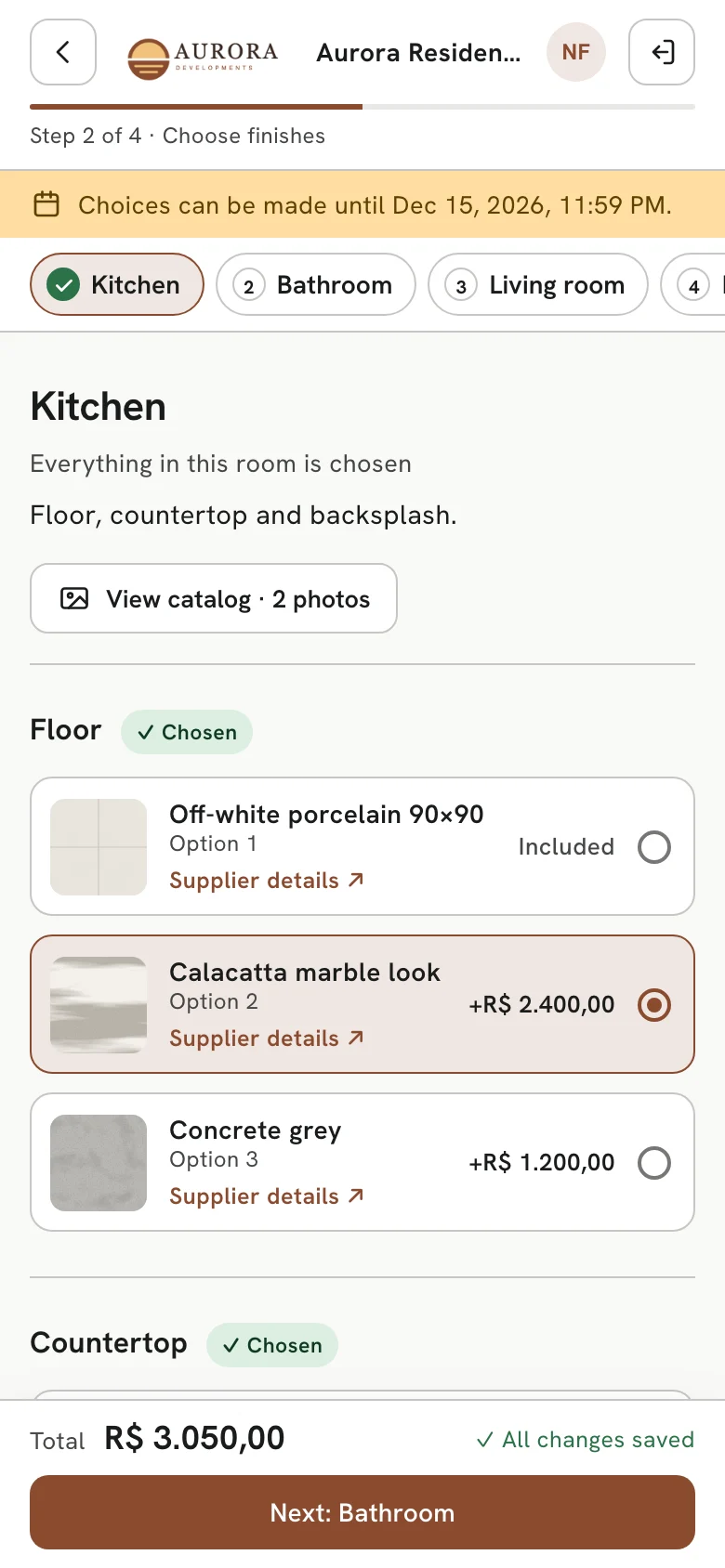
- Buyers choose at home, on their phone, whenever it suits them
- One catalog with photos, prices and supplier links, always current
- A contract for each buyer, generated from exactly what they chose
- One order list, generated from every buyer's choices, standard finishes included
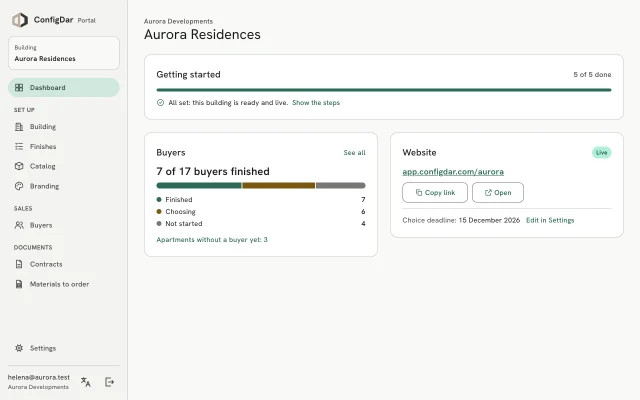
- Live status for every apartment, and emails to buyers from one place
How it works
Four steps, and no meetings
Your team sets the building up once. Your buyers do the choosing.
Set up the building
Add your materials, then the finishes and prices of each unit type. A building can be set up in a day.
Invite your buyers
Email each buyer the link to your branded website, and set a deadline if you need one.
Buyers choose
They sign in with their CPF or CNPJ, choose room by room with prices in view, and confirm.
Get the paperwork
Each buyer's contract and the materials-to-order list are ready as buyers finish.
Features
Everything personalization needs, in one place
-
Branded buyer website
Your logo and color on every page, with one link per building to share with buyers.
-
Catalog with photos
Import your materials from a spreadsheet, then add the photos. Supplier links included.
-
Finishes per unit type
Set the options room by room: the finish that comes standard, and the price of every upgrade.
-
Live progress
See who has finished, who is still choosing and who hasn't started, and email the buyers who need a reminder.
-
Contracts, made for you
One contract per buyer with their choices, total and payment plan, as an editable Word file.
-
Materials to order
How many of each material, per unit type and room, ready for purchasing.
-
CPF and CNPJ sign-in
Buyers sign in with their CPF or CNPJ and a code sent by email. No password to create.
-
Payment plans in reais
Up to 12 monthly payments, with each buyer choosing their own due date.
Results
What changes for your team
≈2 h saved per apartment
Time spent meeting each buyer in person.
0 contracts typed by hand
Each contract comes from the buyer's confirmed choices, so it matches them exactly.
What developers say
The solution saved us a lot of time dealing with customers and manually drafting contracts. Also, our customers were more satisfied with this method because it was more convenient and efficient.
FAQ
Questions, answered
How much time does ConfigDar save?
Our clients used to spend around two hours with each buyer in a face-to-face meeting, then more time writing the contract and counting materials. With ConfigDar, buyers choose on their own, and the contract and the materials-to-order list are made automatically.
How long does it take to set up a building?
A building can be set up in a day. You add the catalog of materials (import it from a spreadsheet, then add the photos), the finishes of each unit type with prices, and the buyers. You can preview exactly what buyers will see before going live.
Do buyers need to create an account or a password?
No. Buyers sign in with their CPF or CNPJ and their apartment number, and get a 6-digit code by email. There is no password to remember.
Does it work on phones?
Yes. The buyer website is designed for phones first and works just as well on computers and tablets, in a light or dark theme.
Can we use our own brand?
Yes. The buyer website shows your logo and brand color. Each building gets its own link, app.configdar.com/your-building, ready to share with buyers, with nothing to set up on your side.
Can we follow each buyer's progress?
Yes, live: who has finished, who is choosing and who hasn't started. You can filter the list and email the buyers who still need a reminder, straight from the Portal.
How are the contracts made?
When a buyer confirms, their contract is made from exactly what they chose: every finish, the total and the payment plan. Your team can preview each contract and download it as an editable Word file.
What happens at the deadline?
You can set a deadline for each building. Until then, buyers can change their choices; after it, choices are locked, and buyers who hadn't finished automatically get the standard finishes.
Where is the data stored?
On Google Cloud in São Paulo, Brazil. Buyers only see their own apartment, and your team only sees your company's buildings. See our privacy policy for details.
See ConfigDar with your next building
In 20 minutes we'll show you the Portal and the buyer website with a real example, and answer your questions.
20-minute call · in English or Portuguese · no commitment